
Introducing Disable User Login Pro — Bulk User Management for WordPress
We’re excited to announce the release of Disable User Login Pro, a premium add-on for our popular Disable User Login plugin. Disable User Login has been trusted by thousands of WordPress sites to quickly disable user accounts without deleting them. Today, we’re taking it further with Pro — built for sites that need to manage users at scale.What’s New in Pro
Bulk CSV Import & Export
The #1 feature request from our users. Export all of your users to a CSV file with their current enabled/disabled status, update the “Enabled” column in your spreadsheet, and re-import to apply changes in bulk. No more clicking through user profiles one by one.
How it works:
- Go to Users → Enable/Disable → Import / Export and click Export Users CSV
- Open the CSV in Excel, Google Sheets, or any spreadsheet app
- Set the Enabled column to
1(enabled) or0(disabled) for each user - Upload the modified CSV back to WordPress
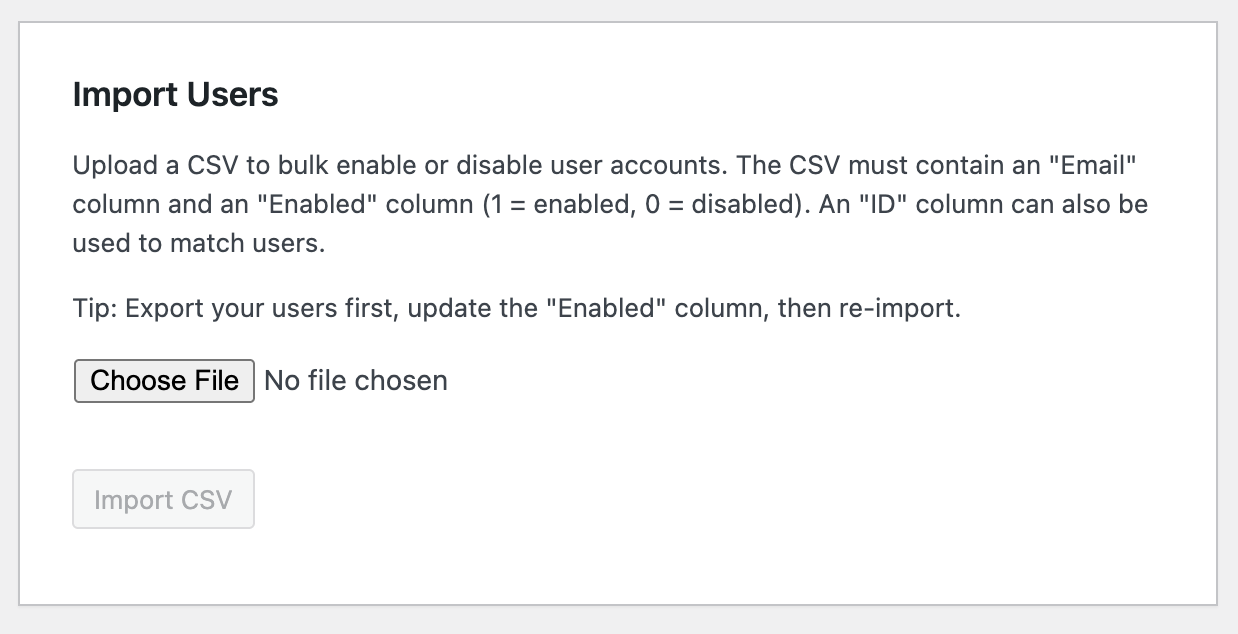
The import validates every row, matches users by ID or email, and gives you a detailed summary of what changed — including any rows that were skipped and why.
Email Notifications
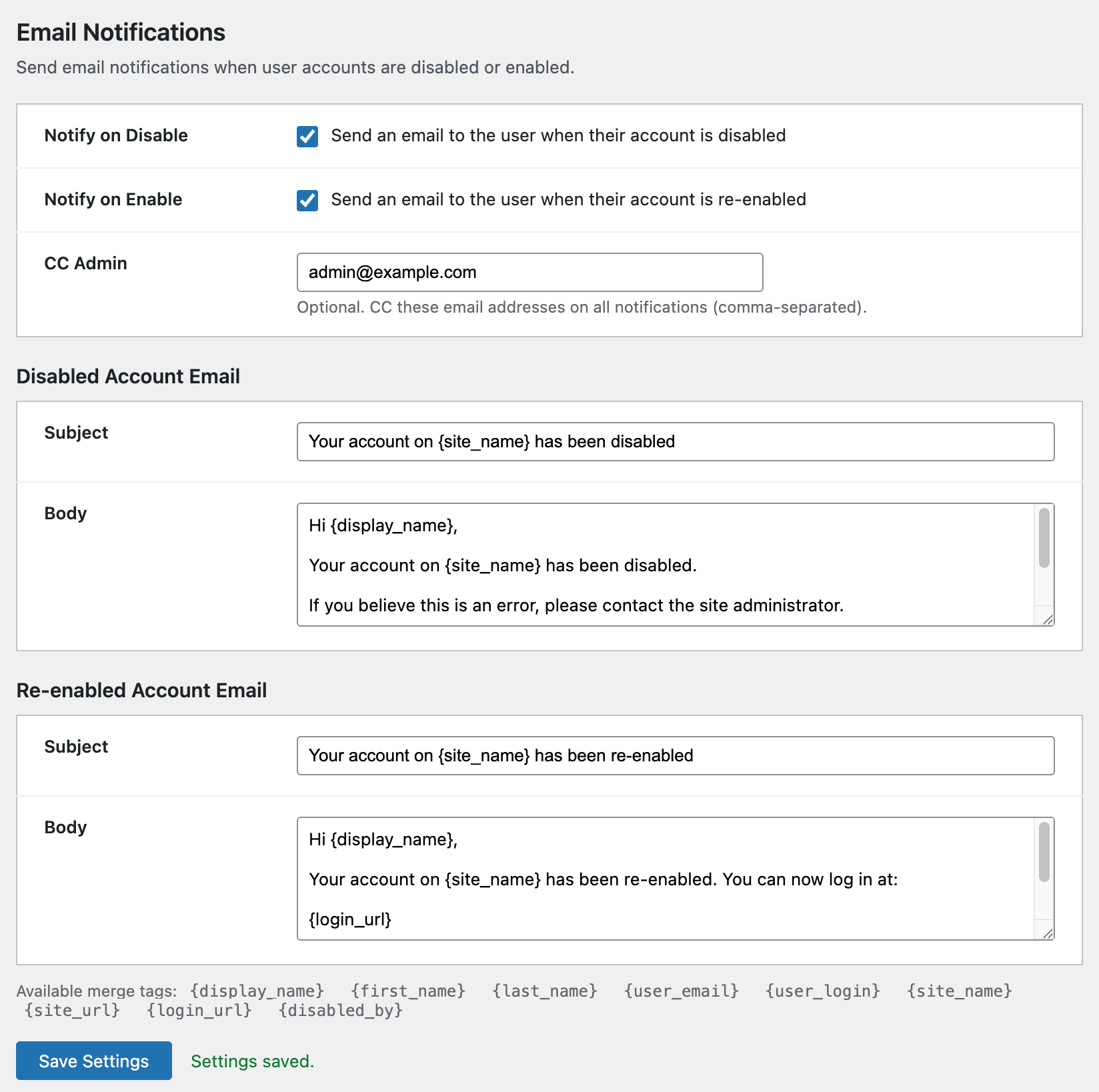
Automatically notify users when their account is disabled or re-enabled. Customize the email subject and body with merge tags like{display_name}, {site_name}, {login_url}, and {disabled_by}. Optionally CC an admin on every notification.
No custom code or third-party email plugins required — just toggle it on in Settings → Disable User Login → Pro.
Audit Log
Every disable and enable action is recorded with a timestamp, the admin who performed it, and an optional reason. View the full history under Users → Enable/Disable → Audit Log, filter by action type or user, and export the log to CSV. Configure automatic purge after 30, 60, 90, 180, or 365 days to keep your database lean. Essential for compliance, accountability, and troubleshooting.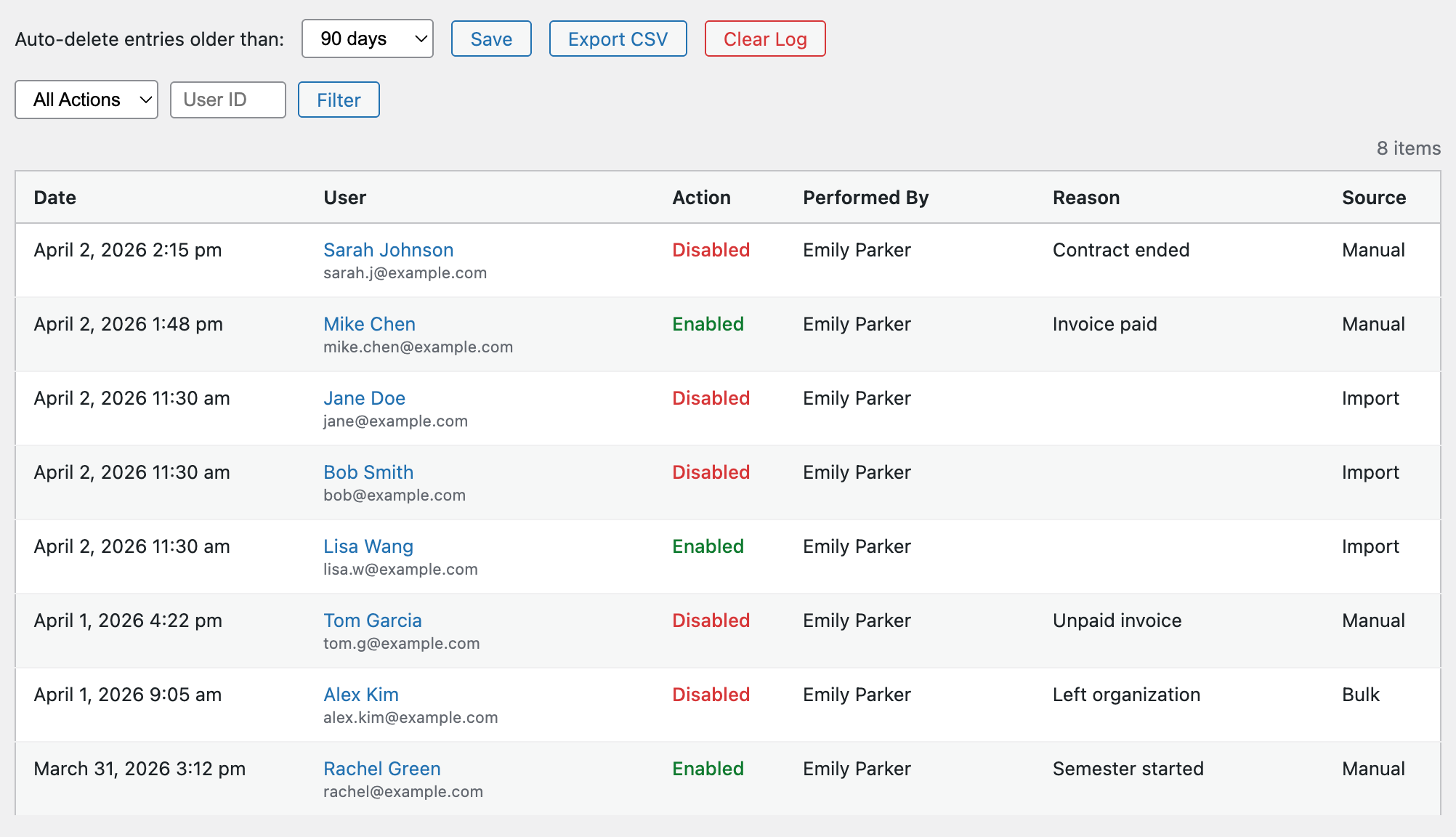
Filterable & Sortable User List
“Disabled” and “Enabled” filter views are added to the WordPress Users screen — just like the built-in role filters — complete with count badges. The Disabled column is also sortable, so you can group all disabled users together with a single click.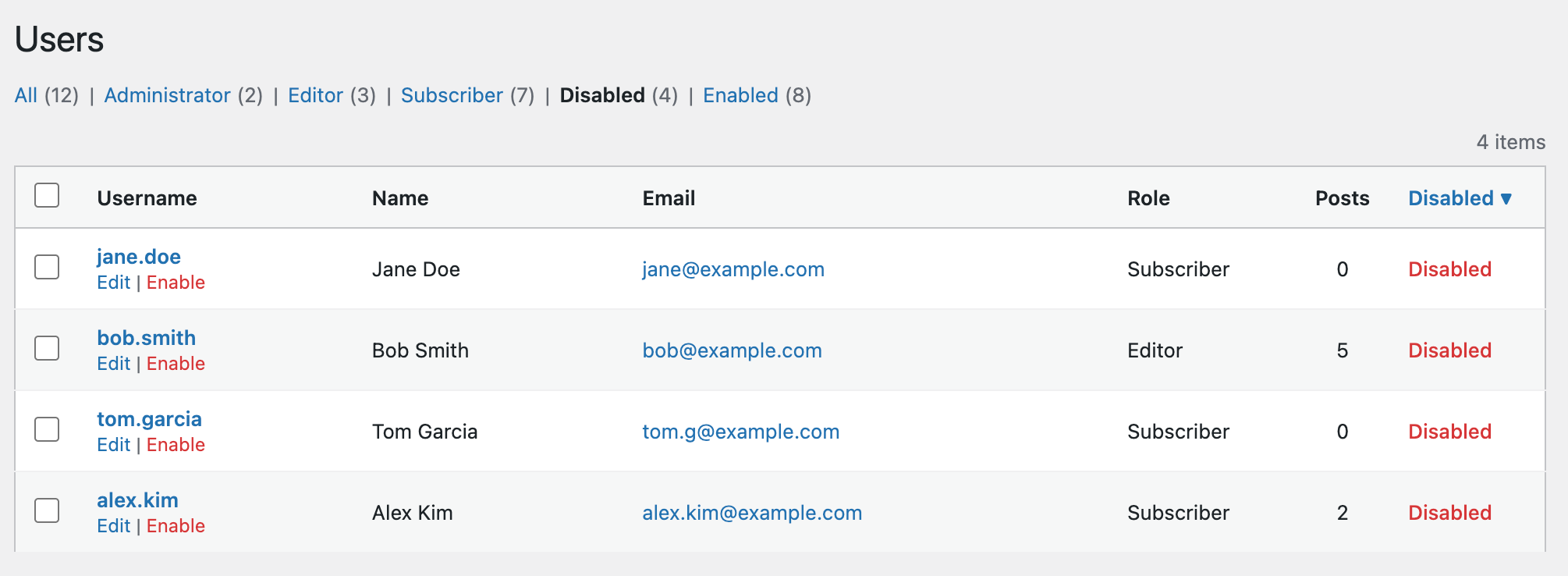
Built with Safety in Mind
- You can’t accidentally disable your own admin account
- Super admins on multisite are protected from bulk disable
- Every status change fires the same hooks as the free plugin, so disabled users are force-logged-out immediately
- Non-existent users and invalid values are skipped with clear explanations
Who Is This For?
- Membership sites managing seasonal access
- Nonprofits onboarding and offboarding volunteers
- Agencies managing client accounts across projects
- Universities enabling/disabling student accounts each semester
- Any site with more users than you want to manage one at a time