WP WooCommerce Mailchimp Pro 3.0–3.2: Variation-Level Settings, Merge Field Mapping & More
We’ve been heads-down for the past few months working on the most requested features from our customers. Today we’re excited to share what’s new in WP WooCommerce Mailchimp Pro 3.0 through 3.2 — three major releases that deliver features some of you have been asking about for a long time. Here’s what’s new.Per-Variation Mailchimp Settings (3.1)
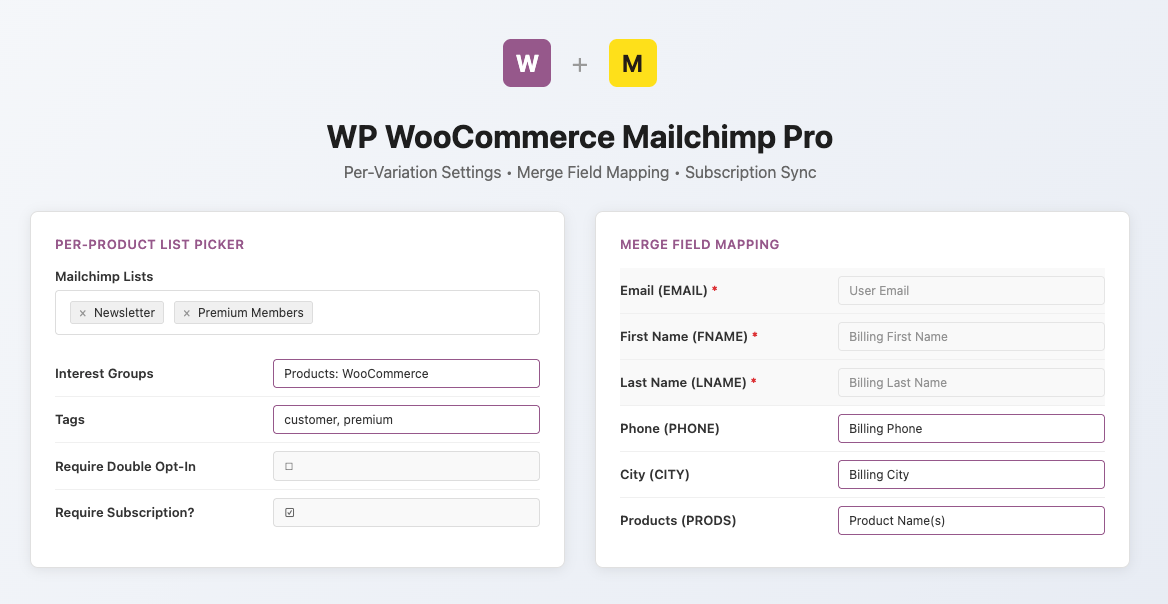
This was our #1 most-requested feature, with 6 support tickets and a promise we made to our customers. You can now assign different Mailchimp lists, interest groups, tags, and merge field mappings to individual product variations. This is huge for stores with variable products like:- Variable subscriptions — Monthly variant subscribes to one list with tag
plan:monthly, Annual variant to a different list with tagplan:annual - Product tiers — Small, Medium, Large variants each trigger different Mailchimp segments
- Bundled products — Different variations map to different audience groups
Merge Field Mapping (3.2)
No more custom PHP code to send order data to Mailchimp. Previously, if you wanted to pass billing city, product SKUs, or order total to Mailchimp merge fields, you had to write custom code using ourss_wc_mailchimp_subscribe_merge_tags filter. Now there’s a visual mapping UI right in your WooCommerce settings.
How it works:
- Go to WooCommerce → Settings → Mailchimp
- Each Mailchimp merge field for your selected list appears as a row
- Pick the WooCommerce field that should fill it from a dropdown
- Save — done.
- All billing and shipping fields (city, state, country, phone, etc.)
- Order data (order ID, total, date, payment method)
- Product data (product names, SKUs, variation SKUs, categories) — automatically comma-separated for multi-item orders
- Customer data (order count, total spent, user ID)
Redesigned Product Settings UI (3.1)
We completely rebuilt the product-level Mailchimp settings:- Compact multi-select list picker replaces the old wall of checkboxes — select your lists from a single dropdown, and settings for each list appear on demand
- Cleaner variation panel with WooCommerce-native styling and tooltips
- Updated Mailchimp admin links — “Manage groups” and “Manage tags” links now point to the current Mailchimp dashboard URLs
Subscription Sync Bug Fixes (3.1)
We discovered and fixed two significant bugs in the WooCommerce Subscriptions integration:- Subscription lifecycle sync was silently broken — a code refactor had caused the subscription status handler to read order item meta instead of product meta, which meant subscription status changes (active → cancelled, etc.) weren’t triggering Mailchimp updates. This is now fixed.
- Tag removal on subscription expiry wasn’t working — the expiration action handler was re-fetching tags with a forced “active” status, overwriting the “inactive” status needed for removal. Tags now correctly get removed when subscriptions expire.
Modernized Foundation (3.0)
The 3.0 release raised minimum requirements to support the latest WooCommerce features:- PHP 7.4+ (was 5.6)
- WordPress 6.2+ (was 4.7)
- WooCommerce 8.3+ (was 3.5)